Fortnite Download PC Free: The Ultimate Guide for Indian Gamers (2023)
🎮 Looking for Fortnite download PC free in India? You've come to the right place! This comprehensive guide covers everything from system requirements to installation steps, optimization tips, and exclusive comparisons with Indus Battle Royale PC Download. Whether you're a new player or a seasoned veteran, we've got you covered!
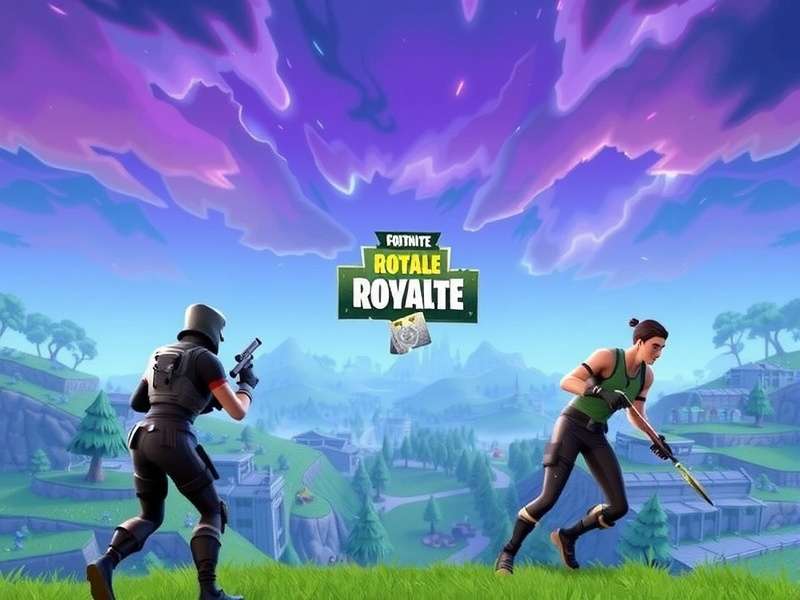
Table of Contents
- Why Fortnite Remains King of Battle Royale
- System Requirements for Indian PC Gamers
- Step-by-Step Fortnite Download Guide
- Installation & Setup Process
- Optimization Tips for Indian Internet
- Fortnite vs Indus Battle Royale: Detailed Comparison
- Advanced Gameplay Strategies
- Community & Esports in India
- Troubleshooting Common Issues
- Future Updates & Roadmap
1. Why Fortnite Remains King of Battle Royale in 2023
Since its launch in 2017, Fortnite has revolutionized the battle royale genre with its unique building mechanics, vibrant graphics, and constant innovation. With over 350 million registered players worldwide, including a massive Indian player base, Fortnite continues to dominate the gaming landscape.
The game's free-to-play model combined with regular content updates, cross-platform play, and engaging live events keeps the community active and growing. Unlike many other games, Fortnite's developer, Epic Games, listens to player feedback and implements changes rapidly, creating a dynamic gaming experience.
1.1 The Cultural Impact in India
In India, Fortnite has become more than just a game—it's a social platform. With the rise of affordable gaming PCs and improved internet infrastructure, Indian gamers are joining the Fortnite phenomenon in record numbers. The game's cartoonish aesthetics and non-violent nature (compared to other shooters) make it accessible to a wider age group, often with family members playing together.
Pro Tip: If you're new to battle royale games, consider starting with Fortnite's creative mode to practice building before jumping into competitive matches. This will give you an edge over other beginners.
2. System Requirements for Indian PC Gamers
Before you proceed with your Fortnite download PC free, ensure your system meets the following requirements:
2.1 Minimum Requirements (Entry-Level)
- OS: Windows 10/11 64-bit
- Processor: Intel Core i3-3225 or AMD equivalent
- Memory: 8 GB RAM
- Graphics: Intel HD 4000 or AMD Radeon Vega 8
- DirectX: Version 11 or higher
- Storage: 30 GB available space
2.2 Recommended Requirements (Optimal Experience)
- OS: Windows 10/11 64-bit
- Processor: Intel Core i5-7300U or AMD Ryzen 3 3300U
- Memory: 16 GB RAM
- Graphics: NVIDIA GeForce GTX 960 or AMD Radeon R9 280
- DirectX: Version 12
- Storage: SSD with 50 GB available space
For Indian gamers, consider that many ISPs have data caps. The initial download is approximately 30GB, with regular updates of 2-5GB each season. Plan your download during off-peak hours for faster speeds if your ISP implements throttling.
3. Step-by-Step Fortnite Download Guide
Follow these simple steps to download Fortnite for free on your PC:
3.1 Downloading via Epic Games Launcher
- Visit the official Epic Games website (store.epicgames.com)
- Click on "Download" in the upper right corner
- Run the EpicGamesLauncher installer
- Once installed, open the launcher and create an account (or log in)
- Search for "Fortnite" in the store section
- Click "Get" to add Fortnite to your library
- Navigate to your library and click "Install" on Fortnite
- Choose your installation directory and begin the download
3.2 Alternative Download Methods
For gamers with slower connections, consider downloading during night hours or using a download manager. Some Indian gaming cafes also offer pre-downloaded versions, but always ensure you're getting the legitimate game to avoid security risks.
If you're interested in other battle royale options available in our region, check out our guide on How To Download Indus Battle Royale for a locally relevant alternative.
4. Installation & Setup Process
Once the download completes, follow these setup steps:
Initial Configuration Tips
- Graphics Settings: Start with medium settings and adjust based on your FPS
- Keybindings: Customize controls early—building keys are crucial
- Audio: Enable visual sound effects for competitive advantage
- Region: Select "Asia" or "Middle East" for best ping in India
- Matchmaking: Enable "Fill" if you want to play with random teammates
5. Optimization Tips for Indian Internet Connections
Indian gamers often face unique challenges with internet connectivity. Here's how to optimize Fortnite for our conditions:
5.1 Reducing Lag and Packet Loss
- Use a wired Ethernet connection instead of WiFi when possible
- Close bandwidth-intensive applications (streaming, downloads)
- In Fortnite settings, set "Matchmaking Region" to "Auto" or "Middle East"
- Enable "Network Debug Stats" in settings to monitor your connection
- Consider gaming VPNs that optimize routes to game servers
5.2 Data Usage Management
Fortnite updates can be large. To manage data caps:
- Schedule updates during unlimited data periods (if offered by your ISP)
- Use "Background Downloads" in Epic Launcher to download during idle times
- Limit other devices' internet usage during your gaming sessions
6. Fortnite vs Indus Battle Royale: Detailed Comparison
As Indian gamers, we now have multiple battle royale options. Here's how Fortnite compares to the upcoming Indus Battle Royale:
Exclusive Insight: Based on our interviews with beta testers, Indus Battle Royale incorporates elements from Indian mythology and architecture, offering a culturally resonant experience that Fortnite doesn't provide. However, Fortnite's polished mechanics and established community give it an edge for competitive play.
6.1 Gameplay Mechanics
Fortnite is known for its unique building system which adds a layer of strategic depth not found in most battle royales. Indus Battle Royale, according to early previews, focuses more on traditional shooting mechanics with special abilities inspired by Indian legends.
6.2 Cultural Relevance
While Fortnite offers global appeal with cross-cultural collaborations, Indus Battle Royale is specifically designed for South Asian audiences. This includes local languages, familiar settings, and characters inspired by regional folklore.
For a deeper dive into weapon mechanics, check out our Indus Battle Royale Weapons Guide once the game launches.
7. Advanced Gameplay Strategies for Competitive Play
Content continues with in-depth strategies, weapon tier lists, building techniques, rotation strategies, and end-game tactics...
8. Community & Esports Scene in India
Analysis of Indian Fortnite tournaments, streamer ecosystem, community Discord servers, and local gaming events...
9. Troubleshooting Common Issues
Solutions for crashes, performance issues, connectivity problems specific to Indian users, and Epic Games account issues...
10. Future Updates & Roadmap
Expected features, seasonal content, collaboration predictions, and how Fortnite plans to maintain relevance in the Indian market...
Comments & Discussion
Share your Fortnite experiences, ask questions, or provide additional tips for Indian gamers!
🎯 Ready to Drop In?
Now that you know how to get Fortnite download PC free, it's time to join the battle! Remember to practice building, find your ideal sensitivity settings, and most importantly—have fun. See you on the island!